How To Redeem Rewards
Step 01
Go To "My Rewards"
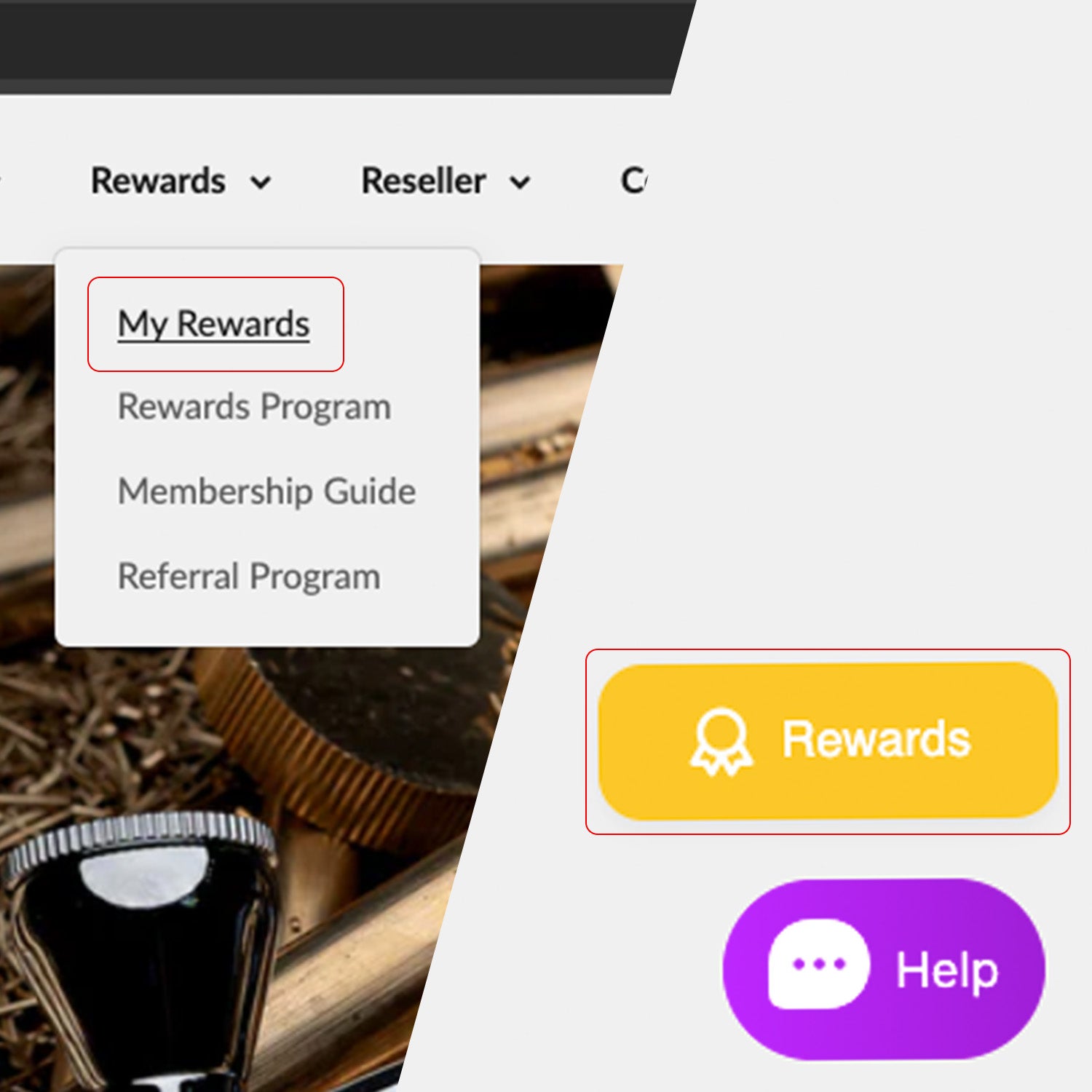
Navigate to "My Rewards" page either through the main menu or through the bottom right corner button as shown in the image.
Step 02
Check Your Info
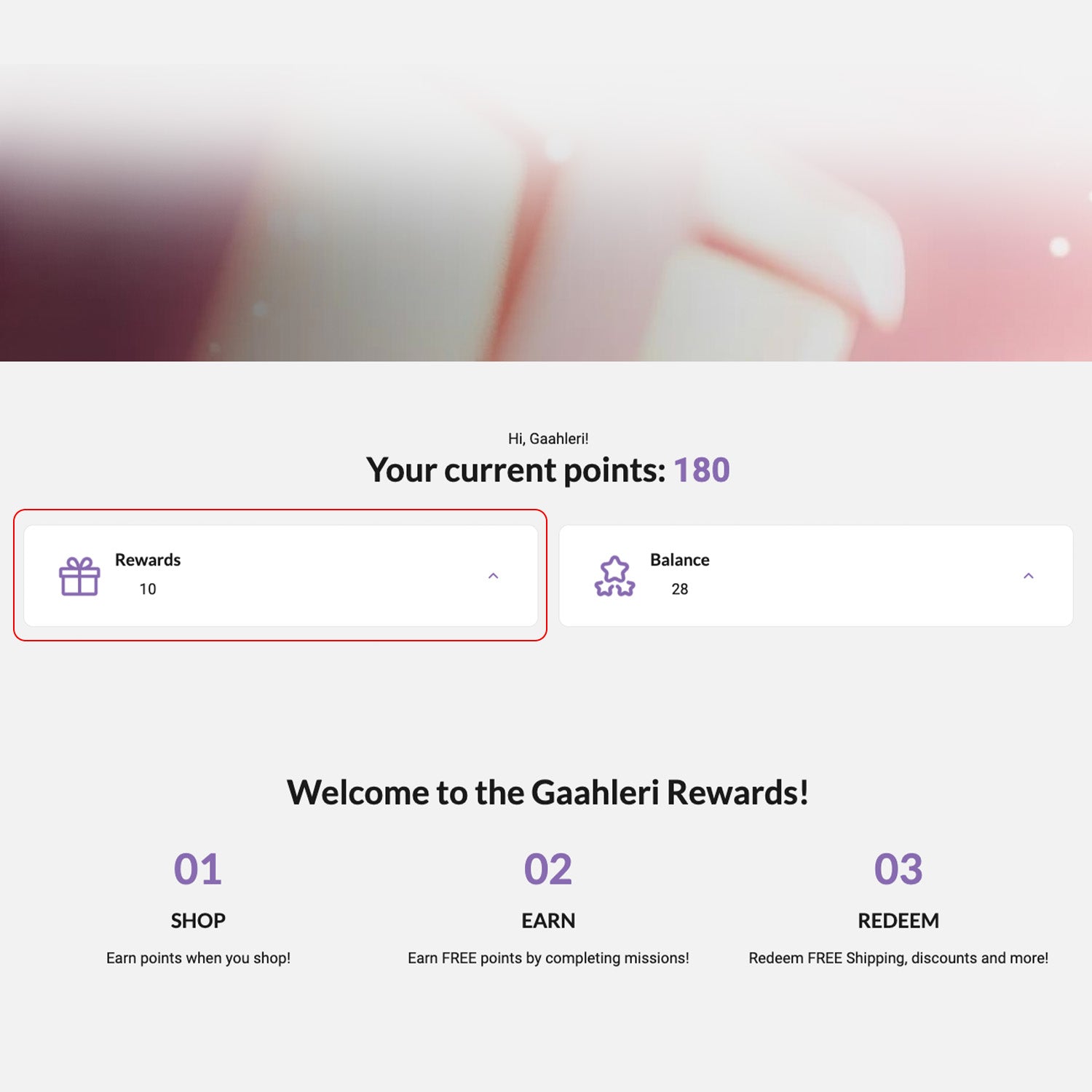
In the page, you can check your points balance, and see the number of rewards available by clicking the "Rewards" dropdown button.
Step 03
Understanding The Rewards
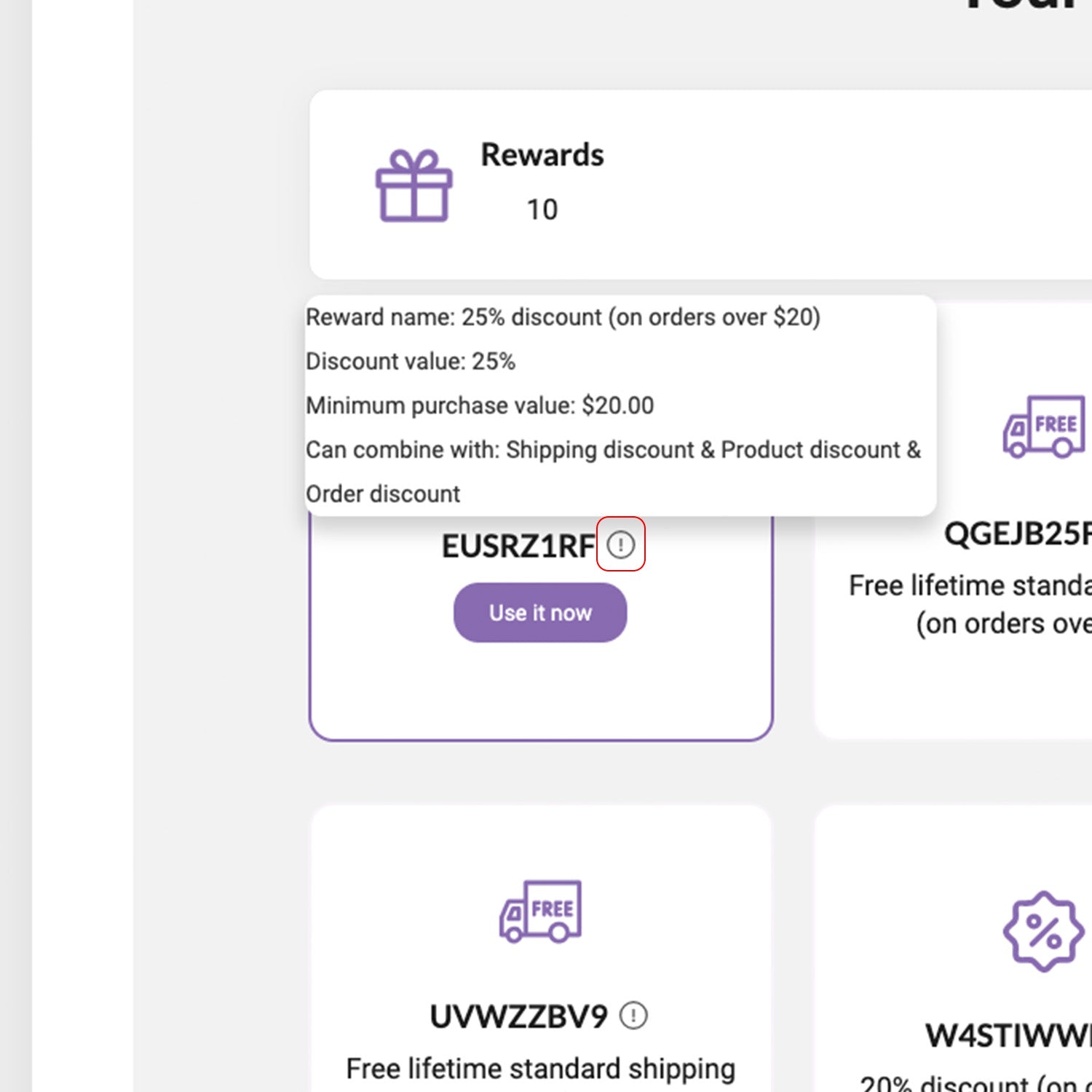
Hover your mouse over to the "!" icon to see what's the rewards about.
Step 04
Redeem
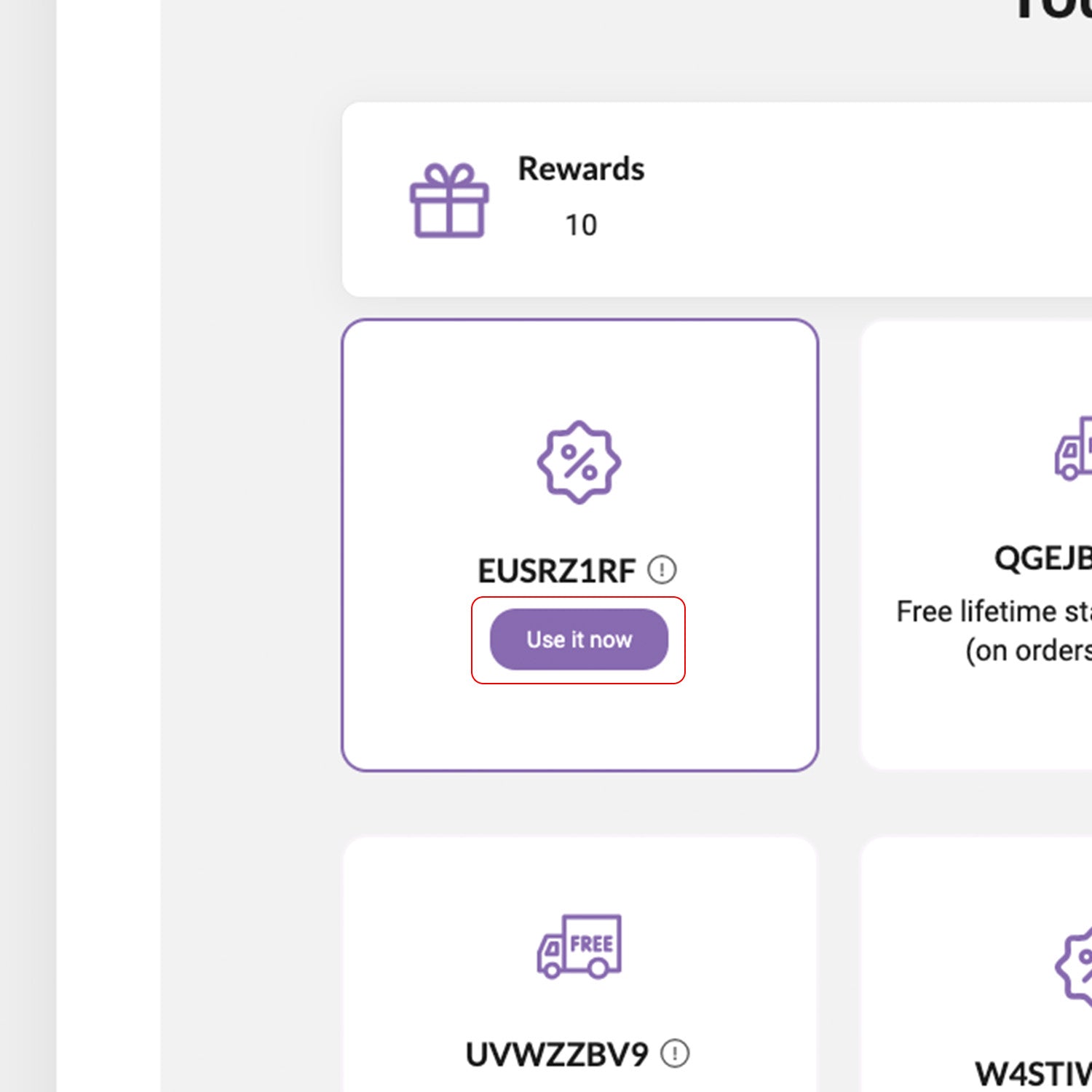
Hover your mouse over the reward will reveal the "Use it now" button. Click it to automatically go to the checkout page, where the discount or free shipping will be applied to the items in your cart.
Rewards FAQ.
What if the free shipping coupon doesn't apply or fully cover the amount?
If the free shipping coupon doesn't apply or doesn’t fully cover the shipping cost, don’t worry. Please proceed with your order and send your order number to support@gaahleri.com. We will manually adjust the shipping charges based on your coupon and delivery address.
How to Use The Referral Program?
Using store credits after a successful referral
On the referral program page, log in first. After logging in, you can see your balance code and credit code. Copy your credit code, then enter it in the "discount code or gift code" field on the checkout page to apply your store credits for a discount.
Sharing the referral link
On the referral program page, log in first. After logging in, scroll down to find a black "copy link" button. Once clicked, your referral link will be copied to your clipboard. You can then paste and send this link to friends in chat. When your friend purchases through your link, the store credits will be credited to your account.